The Problem No One Warns You About
When we started building 7Seers—an AI-powered education-to-employment platform—we knew prompts would be important. What we didn’t anticipate was that managing them would become one of our biggest engineering challenges.
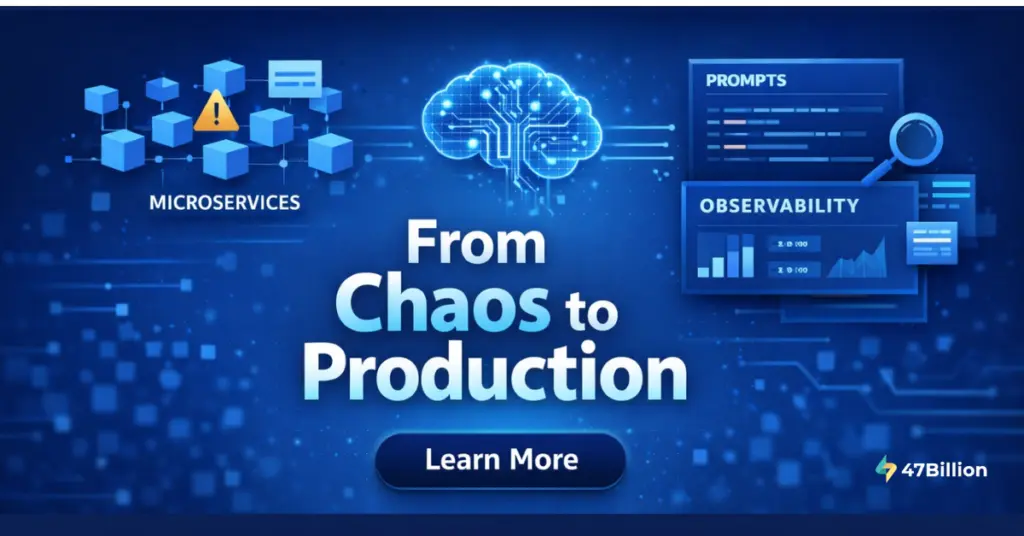
Here’s the reality: We have 33 microservices. Multiple LLM providers—Gemini, Claude, GPT-4, Mistral. And every tiny feature runs on prompts. Mock interviews need one set of prompts. Skill assessments need another. Quiz generation, resume analysis, ATS scoring—each requires carefully crafted instructions that evolve constantly.
And it’s not like you nail the perfect prompt on the first try.
Unlike traditional software where you write code and it works deterministically, prompt engineering is messy. Edge cases keep popping up. The more you handle, the more you find yourself adding lines like “don’t mention this” and “never do that”—which can poison the entire context.
Before we knew it, prompts were everywhere. In data repos. In Google Docs. In Slack threads. In random config files. Pretty much scattered across everything.
That’s when we realized: we needed proper infrastructure for managing prompts—something like an IDE for prompt engineering. But we also needed to see what was happening inside our LLM applications when things went wrong.

What We Actually Needed
We weren’t just looking for a place to store prompts. We needed infrastructure that could handle:
Prompt Management:
- Centralized registry where every prompt has a home
- Version control with full history and instant rollback
- Environment separation (dev, staging, production) with labels
- Hot-swap deployment—change prompts without redeploying applications
- Collaboration so non-technical stakeholders can contribute
Observability:
- Tracing to see exactly what prompts were sent and what responses came back
- Cost tracking per request, per feature, per user
- Latency monitoring to identify bottlenecks
- Debugging capabilities when LLM outputs go wrong
The key insight: You need both together. Prompt versioning without observability means you can’t see which version caused problems. Observability without prompt management means you can trace issues but can’t fix them quickly.

Our Journey: From Constants Files to Production Confidence
Phase 1: The “Smart” Approach That Wasn’t
When we started, we did what most teams do—dump all prompts in constants files. We had a .ts or .py file where we mentioned all the prompts, thinking we were being clever with dependency injection.
We even considered building our own service to manage prompts using Git. It seemed like a good idea at the time.
What went wrong:
- Every prompt change required a code deployment
- No history of what worked before
- Testing meant deploying to production and hoping
- When something broke, we couldn’t trace which prompt caused it
- The “build our own system” approach was becoming a project in itself
Phase 2: Maximum Chaos
At our worst point, prompts lived in:
- Git repositories (some versioned, some not)
- Slack threads (“Hey, try this prompt instead…”)
- Google Docs (for “documentation”)
- Team members’ personal notes
- Database config tables
When something broke in production, we couldn’t trace which prompt changed, who changed it, or what the previous version was. We couldn’t roll back. We couldn’t even figure out which version was running.
That’s when we knew we needed a proper solution.
The Search for the Right Tool
We needed something that could handle both prompt management AND observability. Here’s what we discovered: no perfect tool exists that does everything.
The LLMOps landscape is fragmented:
- Some tools focus on observability and tracing
- Some focus on prompt versioning and playgrounds
- Some focus on evaluation and testing
- Most claim to do everything but excel at one or two things
Two Philosophical Approaches
Before diving into specific tools, we explored two fundamentally different approaches:
Approach 1: Traditional Prompt Management
Platforms where you write prompts manually, version them, and fetch them at runtime. You have full control over what’s in production.
Approach 2: DSPY (Programmatic Prompt Generation)
DSPY is a Stanford framework that takes a radically different approach—prompts are programs, not strings. Instead of writing prompts, you define input/output signatures and provide examples. The framework auto-generates and optimizes the prompt using what they call “teleprompters.”
Why we chose traditional management for production:
| Concern | Why It Matters for Enterprise |
| Manual control | Stakeholders need to review and approve prompts |
| Explainability | “The AI wrote the prompt” doesn’t fly with enterprise clients |
| Version tracking | Audit trails are essential for compliance |
| Consistency | Same prompt should behave the same way every time |
Our verdict: DSPY is excellent for research and experimentation. For production systems where you need consistency, auditability, and stakeholder trust—you need manual control over your prompts.
Tool Evaluation: What We Tried
We evaluated 7-8 platforms. Here’s an honest breakdown.
Langfuse
What it is: An open-source LLM engineering platform. Its core strength is observability and tracing, but it also offers prompt management as a key feature.
Why it worked for us:
Langfuse gave us both things we needed in one platform:
Observability (Core Strength):
- Detailed tracing of every LLM call
- Cost tracking per trace
- Latency monitoring
- Session tracking for multi-turn conversations
- Debugging capabilities when things go wrong
Prompt Management (Key Feature):
- Centralized prompt registry
- Version control with full history
- Label-based deployment (production, staging, dev)
- Hot-swap capability—update prompts without redeploying
- Variables and templates for reusable prompts
Additional benefits:
- Open-source with self-hosting option (critical for enterprise data privacy)
- Native integration with LiteLLM (our gateway)
- Role-based access control—non-technical team members can view prompts
- Lower resource footprint compared to alternatives
- Active community and development
Update (January 2025): Langfuse was recently acquired by ClickHouse, reinforcing its position as a leading open-source LLM observability platform. This acquisition combines Langfuse’s developer-first approach with ClickHouse’s blazing-fast analytical capabilities.
Where it’s still evolving:
- Evaluation features are basic compared to specialized tools
- No built-in A/B testing with statistical analysis
- Playground is functional but not as polished as dedicated tools
Opik (by Comet ML)
Opik was our closest competitor and genuinely impressed us in several areas.
What it is: An open-source LLM evaluation and observability platform with strong focus on testing and experimentation.
What we liked:
- Excellent evaluation system—more detailed and integrated
- Superior playground experience for prompt iteration
- Good dataset import for systematic testing
Why we didn’t choose it:
During our evaluation, we encountered a few challenges specific to our needs:
- Resource requirements: At the time of our evaluation, Opik required high RAM with ClickHouse and other components. As our usage grew, this became a concern for our infrastructure efficiency.
- Role-based access: RBAC wasn’t available when we evaluated. We needed non-technical team members (placement officers, content reviewers) to view and comment on prompts.
- Label-based deployment: Langfuse’s built-in production/staging labels felt more intuitive for our multi-environment workflow.
Important note: Comet ML actively develops Opik, and these limitations may have been addressed. If evaluation is your primary concern, Opik is worth evaluating for your specific needs.
Other Tools We Evaluated
| Tool | Core Strength | Why We Passed |
| Langsmith | Deep LangChain integration | Enterprise-only for self-hosting, cost concerns |
| Agenta | Open-source playground | Less mature, smaller community |
| Honey Hive | Non-technical friendly UI | Missing evaluation features we needed |
| PromptLayer | Simple tracking | Less observability depth |
The Honest Reality of LLMOps Tooling
Here’s something no one tells you upfront: the LLMOps tooling landscape is fragmented.
Most tools started with one core strength and added other features later:
| Tool | Started As | Added Later |
| Langfuse | Observability & Tracing | Prompt management, basic evals |
| Langsmith | LangChain debugging | Prompt hub, evaluation |
| Opik | Evaluation framework | Observability features |
| Arize | ML monitoring | LLM-specific features |
Our philosophy: Pick tools for their core strength, then leverage additional features. We chose Langfuse because observability was strong AND prompt management was good enough for our needs.
How We Actually Use Langfuse
For Observability (Primary Use)
Every LLM call in our 33 microservices is traced. We can see:
- Exactly what prompt was sent
- What response came back
- Token usage and cost
- Latency breakdown
- Which prompt version was used
When something goes wrong—like the interviewer asking quantum physics questions during a marketing interview—we can trace back to exactly which prompt version, which service, and which change caused it.
For Prompt Management (Key Feature We Leverage)
All our prompts live in Langfuse’s prompt registry. Our applications fetch prompts by name and label at runtime. When we need to update a prompt:
- Create new version in Langfuse
- Test in staging (change label)
- Promote to production (change label)
- No code deployment needed
The hot-swap capability transformed our workflow. What used to take 30 minutes of deployment now happens instantly.
For Cost Tracking
We discovered that one poorly written prompt accounted for 20% of our total LLM costs. We never would have known without Langfuse’s cost tracking per trace. Now we review high-cost prompts monthly.
Best Practices: How We Organize Prompts at Scale
After months of iteration across 33 microservices, here’s what works.
Naming Convention
We use a strict format: SERVICE_NAME_PROMPT_NAME
| Example | Meaning |
| RAG_OUTLINE_SLIDE | RAG service, outline generation for slides |
| INTERVIEW_QUESTION_TECH | Interview service, technical questions |
| QUIZ_MCQ_GENERATOR | Quiz service, MCQ generation |
| RESUME_ATS_SCORE | Resume service, ATS scoring |
Rules:
- All CAPS with underscores
- Service name first (for grouping and filtering)
- Specific function second
- No spaces, no special characters
Label Strategy for Multi-Environment Deployment
Environment labels:
- production — Live in production
- staging — Testing environment
- development — Active development
Model-specific labels (when needed):
- gpt-4 — Optimized for GPT-4
- gemini — Optimized for Gemini
- claude — Optimized for Claude
How it works: Your application fetches prompts by label. Change the label in Langfuse, and the next API call uses the new prompt—no redeployment needed.
Multi-LLM Prompt Management
Different LLMs sometimes need different prompt optimizations. We handle this with version + label combinations:
| Version | Optimized For | Label |
| Version 2 | GPT-4 | gpt-4 |
| Version 3 | Claude | claude |
| Version 4 | Gemini | gemini |
| Version 5 | General (best overall) | production |
Reality check: With modern LLMs (GPT-4, Gemini 1.5+, Claude 3+), we’re finding that the same prompt works across models more often than not. We maintain model-specific versions only when we see significant performance differences.

Hard-Won Lessons for Enterprise Teams
Lesson 1: You Need Both Observability AND Prompt Management
We tried managing prompts without observability. When things broke, we couldn’t figure out why. We tried observability without proper prompt management. We could see problems but couldn’t fix them quickly.
The combination is what made the difference.
Lesson 2: Prompts Are Non-Deterministic
Unlike code, the same prompt can produce different outputs. Build systems that embrace statistical evaluation, not binary pass/fail. Observability helps you understand patterns across many executions.
Lesson 3: Domain Experts Write Better Prompts
Our best interview prompts came from placement officers, not engineers. Your platform must be accessible to non-technical stakeholders. RBAC in Langfuse made this possible.
Lesson 4: Start Simple, Add Complexity
We didn’t build all of this on day one:
- Week 1: Get prompts into Langfuse, enable tracing
- Month 1: Add versioning discipline and naming conventions
- Month 3: Add performance monitoring and cost tracking
- Now: Adding evaluation frameworks
Lesson 5: Cost Visibility Pays for Itself
The cost savings from visibility alone justify the entire investment. We found prompts consuming 3x expected tokens, features using expensive models unnecessarily, and one prompt eating 20% of our budget.
Lesson 6: Prompt Engineering Is Product Strategy
Every instruction in a system prompt is a product decision. When we changed feedback tone from “critical” to “constructive,” student satisfaction improved 15%. Observability helped us measure this.
Recommendations by Team Size
Early-Stage Teams (< 10 prompts)
Start with Langfuse’s free tier. Get prompts out of code and enable basic tracing. Don’t over-engineer.
Growing Teams (10-50 prompts)
Add structure: naming conventions, prompt ownership, label-based environments, cost monitoring.
Enterprise Teams (50+ prompts, multiple models)
Invest in: evaluation frameworks, comprehensive tracing, compliance documentation, role-based access control, self-hosting for data privacy.
Partner with 47Billion for Enterprise-Grade LLM Infrastructure
At 47Billion, we provide end-to-end enterprise solutions for AI-powered systems that scale:
What We Deliver
| Capability | Description |
| LLM Infrastructure Architecture | Production-grade observability, prompt management, and tracing infrastructure |
| Multi-LLM Strategy | Intelligent routing across providers (OpenAI, Anthropic, Google, Mistral) with cost optimization |
| Enterprise Security | Guardrails, audit trails, data isolation, and compliance frameworks |
| Evaluation Pipelines | Automated quality assurance with systematic testing |
| Cost Optimization | Token efficiency, model routing, and spend visibility dashboards |
Our Validated Approach
- 33+ microservices managed with unified LLM infrastructure
- 40% cost reduction through intelligent optimization and visibility
- 90% reduction in prompt-related production incidents
- Multi-tenant architecture serving universities across India and the Middle East
Industries We Serve
- EdTech: AI-powered assessments, mock interviews, personalized learning
- HR Tech: Interview intelligence, candidate evaluation, skill matching
- Enterprise AI: Document processing, knowledge management, workflow automation
Ready to Transform Your LLM Operations?
If your prompts still live in scattered config files and you can’t trace what’s happening in your LLM applications, you’re one bad change away from a production incident.
47Billion helps enterprises build production-grade LLM infrastructure that scales.
📧 Contact us: contact@47billion.com
🌐 Learn more: 47billion.com
📅 Schedule a consultation: Let’s discuss your LLMOps challenges